Download PDF
FaceKey Access Control Buyer Guide For Business Owners, Facility Managers, and Security Managers
Do You Know Who Is Entering Your Facility?
Security challenges are changing and growing. Modern businesses must protect their facilities, safeguard valuable intellectual property, and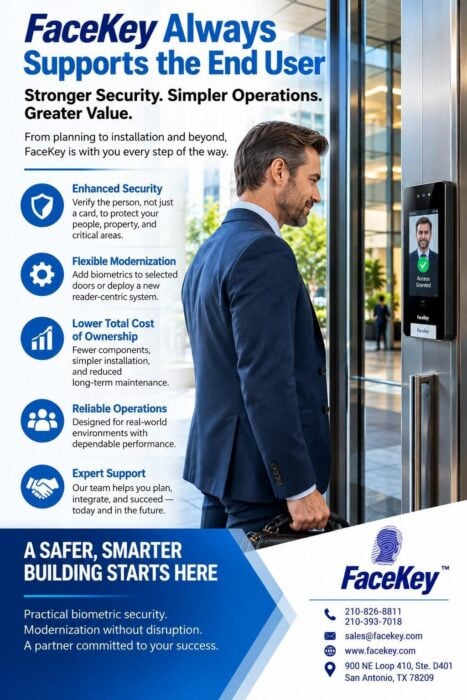 maintain a safe environment for employees and visitors. At the same time, security solutions must meet strict operational needs, fit within capital budgets, and work with systems already in place.
The Central Question:
Verifying a Person vs. Recognizing a Credential Conventional access control systems can only confirm that an authorized credential—such as a physical proximity card, PIN, or mobile token—was presented at a door. They cannot verify that the person holding that item is actually the authorized individual. Cards can be shared, borrowed, lost, or stolen, creating a persistent security gap. FaceKey approaches commercial security from a different starting point. By using advanced facial recognition and fingerprint identification, FaceKey connects access privileges directly to the individual. The result is a rock-solid security foundation that eliminates identity gaps entirely.
6 Key Decisions for New Installations & Smarter Upgrades
This comprehensive market guide breaks down the essential factors facility managers, security managers, and business owners must evaluate when updating their physical security infrastructure:
1. Identity Verification vs. Card Recognition: Shifting from transferable credentials to absolute
biometric identity assurance at critical checkpoints.
2. Reader-Centric vs. Panel-Centric Architecture: Placing matching intelligence directly at the door to reduce panel costs, minimize wiring complexity, and eliminate single points of failure.
3. Modernization Plan (Phased vs. Full Replacement): Using FaceKey Smart Bridge™ database
synchronization to upgrade selected higher-security doors over time while keeping working legacy infrastructure in operation.
4. Evaluating Full Total Cost of Ownership (TCO): Factoring in long-term savings from eliminating replacement card administrative burdens and recurring software subscription fees.
5. Privacy, Resilience, and Operational Fit: Understanding how biometric templates are
converted into highly secure, encrypted numerical codes, and ensuring offline functionality during network or power interruptions.
6. 10-Point Purchasing Checklist: A practical evaluation tool to help you grade vendor proposals
on installation costs, life-safety compliance, and manufacturer support.
1. Hardware Infrastructure Costs: Does the solution require expensive control panels and
excessive wiring, or is it a streamlined, reader-centric architecture?
Eliminate Credential Management Burdens
No Recurring Software Fees. No Costly Card Replacements.
Traditional card-based systems saddle businesses with compounding operational costs for the lifespan of the building. Physical badges must be constantly printed, managed, and replaced when lost or broken. Furthermore, standard security platforms tie your business into expensive, recurring software license subscriptions.
The FaceKey Licensing Distinction:
FaceKey does not charge recurring software licensing fees for our platform. Once deployed, your face and fingerprint are your permanent keys—they cannot be forgotten, lent out, or left at home, driving down long-term administrative overhead.
Start a Practical Conversation About Your Facility:
Is FaceKey right for your facility? If you want to verify genuine identity, simplify a new construction build, or modernize critical doors without the budget-breaking cost of a full tear-out, our engineering team is here to assist. Contact FaceKey™ Corporation at sales@facekey.com or call (210) 826-8811 to outline your priority locations, door counts, and project timeline.